7 Best AI Headshot Generators in 2026 (Tested & Compared)
We tested the top AI headshot generators to find which ones actually deliver professional results. Here's our honest comparison.
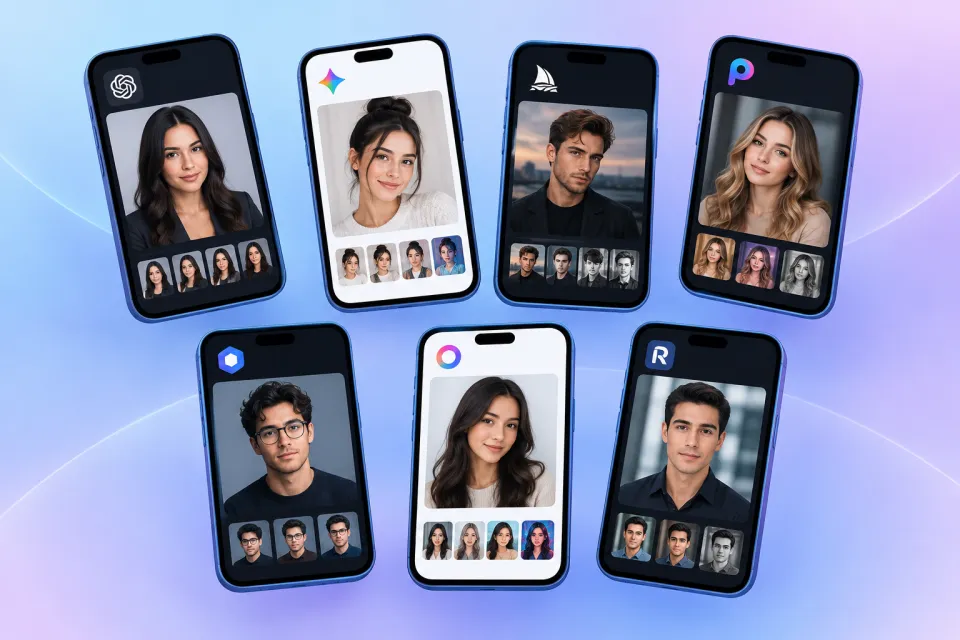
Need a professional headshot but don't want to spend $200+ on a photographer? AI headshot generators have matured significantly in 2026, producing results that are often indistinguishable from studio photography at standard profile display sizes.
We spent three weeks testing the most popular options across quality, speed, pricing, and privacy to help you choose the right tool for your career.
Key Features to Compare
Before diving into individual reviews, understand the criteria that separate excellent AI headshot tools from mediocre ones:
Use this checklist when evaluating any tool. A service that scores well on quality but requires 15 source photos and a 48-hour wait may not fit your timeline. A fast free tool that produces uncanny results wastes your time regardless of price.
How We Tested
Our evaluation followed a consistent methodology across all seven platforms to ensure fair comparison:
Test subjects: We used four source photos representing common scenarios — a well-lit window selfie, a slightly dim indoor phone photo, a photo with a busy background, and a photo with glasses. This tested how each tool handles varying input quality.
Evaluation criteria: Each generated headshot was assessed on facial likeness (does it look like the person?), skin texture naturalness, hair edge quality, background realism, attire appropriateness, and overall professional credibility. We viewed results at both full resolution and at 64-pixel thumbnail size (simulating LinkedIn mobile display).
Speed measurement: We timed from upload completion to downloadable result for each platform, averaged across three runs.
Style testing: We generated headshots in at least three styles per platform — corporate, LinkedIn, and one profession-specific style where available.
Pricing verification: We checked current pricing on each platform's website as of mid-2026, including hidden costs like rush fees, retouching upsells, and minimum purchase requirements.
Privacy review: We read each platform's terms of service and privacy policy, noting data retention periods and whether photos are used for AI training.
No platform paid for inclusion or ranking in this comparison. ProShotAI is our top recommendation based on test results, but each competitor review below reflects genuine strengths and weaknesses we observed during testing.
Our Top Picks
1. ProShotAI
Best for: Professionals who want quick, high-quality results online
ProShotAI offers 20+ professional styles tailored to specific careers — from LinkedIn and corporate to medical, legal, and creative. Upload a single selfie on the generate page and get a studio-quality headshot in about 15 seconds. No multi-photo training set required.
In our testing, ProShotAI consistently produced the most natural skin textures and cleanest hair edges among all tools tested. Likeness accuracy was strong across all four source photo types, including the challenging dim indoor photo where other tools introduced visible artifacts. The profession-specific styles showed meaningful differences — the medical style added appropriate white coat rendering, and the lawyer style applied formal attire and conservative backgrounds without looking generic.
Pros:
Cons:
2. HeadshotPro
Best for: Users willing to wait for batch-processed results with multiple photo options
HeadshotPro is one of the earliest and most recognized names in AI headshots. The platform requires uploading 6 to 15 source photos, then processes them over 1 to 2 hours before delivering a gallery of 40 to 120 headshot variations. The extended processing time allows for more refined output in some cases, but the multi-photo requirement and wait time make it less convenient for urgent needs.
Quality in our tests was solid for well-lit source photos but dropped noticeably with the dim indoor test photo — skin tones appeared slightly over-smoothed and hair edges showed minor artifacts. The variety of output options is a genuine strength: you receive dozens of variations across different backgrounds, outfits, and expressions to choose from. Pricing starts around $29 for individual packages, which is reasonable for the volume of photos delivered but expensive if you only need one headshot.
Pros:
Cons:
3. Aragon AI
Best for: Corporate teams needing batch headshot generation with admin controls
Aragon AI focuses heavily on the corporate and team headshot market. The platform offers admin dashboards for HR teams to manage employee submissions, enforce consistent styles across departments, and download batch results. Individual quality in our tests was good but not exceptional — results were professional and usable for company directories but lacked the fine detail that ProShotAI achieved on skin texture and hair rendering.
The team workflow is where Aragon AI shines. HR administrators can send invitation links to employees, specify required styles, track completion rates, and download uniform headshots for the entire organization. Pricing for team packages starts around $35 per person for groups of 10 or more, scaling down with volume. For a 50-person company, this represents significant savings over traditional group photography sessions that typically cost $75 to $200 per person.
Pros:
Cons:
4. Secta AI
Best for: Users who want multiple poses and backgrounds in a single session
Secta AI takes a "virtual photo studio" approach, generating headshots with varied poses, head angles, and background options from your uploaded photos. The platform asks for 10 to 25 source images and delivers results within 1 to 2 hours. The pose variety is genuinely useful — you get headshots looking slightly left, slightly right, straight-on, and with different expressions, which helps for platforms requiring varied photo formats.
Our testing showed good overall quality with well-lit photos, though the AI occasionally introduced subtle asymmetries in eye rendering that required careful selection from the output gallery. Background options ranged from clean studio backdrops to slightly blurred office environments. Pricing is competitive at around $25 to $49 for individual packages. The main trade-off is the same as other batch-processing tools: you need many source photos and patience for results.
Pros:
Cons:
5. ProPhotos AI
Best for: Users wanting a balance of individual and team packages with retouching options
ProPhotos AI offers tiered packages for both individuals and teams, with optional professional retouching add-ons. Individual packages start around $25 and include 40 to 100 headshot variations. The platform accepts 8 to 15 source photos and delivers results within approximately one hour. Quality in our tests was professional and consistent — not the absolute best hair edge rendering, but reliably good across all test photo types.
The retouching add-on is worth noting: for an additional fee, human editors review and refine AI output, correcting artifacts that automated generation misses. This hybrid approach produces results closer to traditional photography for users who want extra polish. Team packages include admin tools similar to Aragon AI but with less sophisticated dashboard features. The platform covers standard business styles well but lacks the deep profession-specific styling that ProShotAI offers for fields like medicine and law.
Pros:
Cons:
6. The Multiverse AI
Best for: Budget-conscious users who need a basic professional headshot
The Multiverse AI positions itself as an affordable entry point into AI headshots, with individual packages starting around $15 to $21. The platform accepts 10 to 20 source photos and delivers 50 to 100 variations within 1 to 2 hours. In our testing, quality was acceptable for basic LinkedIn and email signature use but fell short of premium tools — skin textures appeared noticeably smoother and more "AI-like," and background rendering occasionally showed subtle distortions at full resolution.
For users who need a headshot quickly and cannot invest in higher-tier tools, The Multiverse AI delivers functional results. The low price point makes it accessible for students, recent graduates, and job seekers on tight budgets. However, at thumbnail size on LinkedIn, the quality difference versus premium tools is less visible, making this a viable budget option for standard profile updates where absolute photorealism is not critical.
Pros:
Cons:
7. Try It On AI
Best for: Experimenting with different looks and styles before committing
Try It On AI differentiates itself with a fashion-forward approach, offering not just professional headshots but also style experimentation — try different outfits, hairstyles, and aesthetics on your photo before committing to a final headshot style. Individual packages start around $20 to $35 and include headshot generation alongside style preview features.
For professional headshot quality specifically, our tests placed Try It On AI in the middle of the pack. Standard business headshots were professional and usable, but the platform's strength lies in exploration rather than production-quality output. Users who want to preview how they'd look in a navy suit versus a gray blazer, or with different hairstyle options, will appreciate the experimentation features. For a final LinkedIn or corporate directory photo, we recommend generating your chosen style on a dedicated headshot tool for best results.
Pros:
Cons:
Detailed Comparison Table
| Feature | ProShotAI | HeadshotPro | Aragon AI | Secta AI | ProPhotos AI | Multiverse AI | Try It On AI |
|---|---|---|---|---|---|---|---|
| Source photos needed | 1 selfie | 6-15 | 8-15 | 10-25 | 8-15 | 10-20 | 8-15 |
| Generation time | ~15 sec | 1-2 hours | 30-60 min | 1-2 hours | ~1 hour | 1-2 hours | 1-2 hours |
| Starting price | Free (2 credits) | ~$29 | ~$35/person | ~$25 | ~$25 | ~$15 | ~$20 |
| Profession-specific styles | 29+ | Limited | Limited | Limited | Basic | Basic | Basic |
| Team/batch features | Expanding | Yes | Strong | Yes | Yes | Limited | Limited |
| Passport/ID sizes | 10+ countries | No | No | No | No | No | No |
| No sign-up free trial | Yes | No | No | No | No | No | No |
| Our quality rating | ★★★★★ | ★★★★ | ★★★★ | ★★★★ | ★★★★ | ★★★ | ★★★ |
How AI Headshots Compare to Traditional Photography
| Feature | ProShotAI | Traditional Photographer |
|---|---|---|
| Cost | $0-$10/month | $150-$500+ |
| Time | 15 seconds | 1-3 hours (session + editing) |
| Convenience | From your browser | Need to travel to studio |
| Styles | 20+ instant options | Limited by session |
| Retakes | Unlimited | Additional cost per session |
| Team consistency | Same style for all employees | Requires group photo day |
| Source photos needed | 1 selfie | In-person session |
For a deeper analysis of when to choose AI versus a photographer, see our AI vs photographer decision guide.
Bottom Line
For most professionals, AI headshot generators now produce results that are good enough for LinkedIn, corporate websites, and professional profiles. The technology has reached a point where the difference between AI and traditional photography is negligible for standard headshot use cases at typical display sizes.
If you want the fastest and most convenient option with industry-specific styles, ProShotAI at aiheadshot.online is our top pick. Try it free online — generate your first headshot in seconds with no sign-up required. Browse all available headshot styles to find the perfect look for your profession, or explore profession-specific pages like LinkedIn, corporate, and startup founder for tailored guidance.
Try ProShotAI Free
Get your professional headshot in seconds. 2 free credits, no sign-up required.