Get a Professional LinkedIn Headshot in Seconds
Generate professional LinkedIn headshots online in seconds. Try free — stand out to recruiters with a polished, studio-quality photo. No sign-up required.
2 free credits · No photographer needed

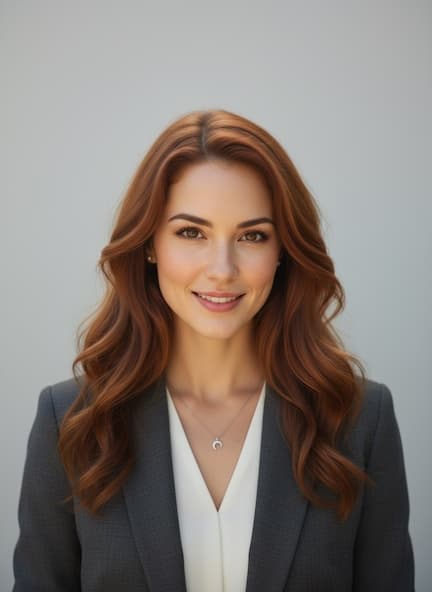
Why Get a Professional LinkedIn Headshot?
- 10x more profile views with a professional photo
- Stand out to recruiters and hiring managers
- No expensive photographer needed
- Multiple styles to match your industry
Where to Use Your LinkedIn Headshot
Job seekers updating their profile
Professionals building their personal brand
Sales teams needing consistent team photos
Executives refreshing their online presence
LinkedIn Industry Insights
LinkedIn profiles with professional photos receive 21 times more profile views and 9 times more connection requests than those without, according to LinkedIn's own data. Recruiters spend an average of 6 seconds on a profile — your photo is the first filter before they read your headline. The platform crops profile photos into a circle at 400×400 pixels, so centered framing and high contrast against the background matter more than full-body composition. Sales Navigator users with updated headshots report 2.3× higher InMail response rates. With over 1 billion members competing for attention, a dated selfie or cropped wedding photo signals inattention to personal branding. LinkedIn's algorithm also surfaces profiles with complete sections — including a professional photo — more frequently in search results for recruiters filtering by skills and location. Open to Work badge users see even sharper photo impact: profiles with professional headshots and the green badge combined receive the highest recruiter outreach volumes on the platform.
Cost Comparison
Professional LinkedIn headshot sessions typically cost $150–$350 for individuals, with corporate team packages running $100–$200 per person. ProShotAI generates LinkedIn-ready headshots free with 2 starter credits — no studio appointment required.
LinkedIn Headshot FAQ
What size and crop works best for LinkedIn's circular profile photo?
LinkedIn displays your photo as a 400×400 pixel circle. Center your face in the frame with space above your head and below your chin. Avoid wide shots — LinkedIn crops aggressively, and off-center faces get cut awkwardly.
Should my LinkedIn headshot match my industry or stand out?
Match your industry's norms while looking polished. Tech and creative fields allow smart-casual styling; finance and law favor formal attire. The goal is to look like someone a recruiter would want to interview, not to win a creativity contest.
How often should I update my LinkedIn headshot?
Update whenever your appearance changes significantly — new hairstyle, glasses, weight change — or every 2–3 years. Profiles with recent photos appear more active and get prioritized in recruiter searches.
Ready for Your Professional LinkedIn Headshot?
Get your first professional headshot for free. No sign-up required.