LinkedIn Headshot Guide: Tips for a Perfect Profile Photo
Everything you need to know about LinkedIn headshots — what makes a great one, common mistakes, and how to get one without a photographer.
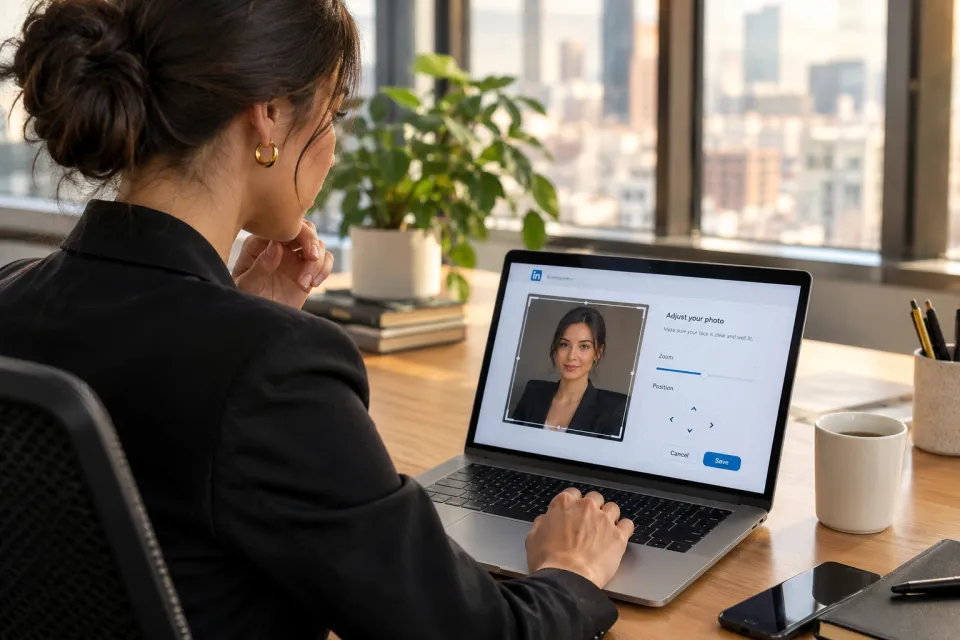
Your LinkedIn headshot is often the first impression you make on recruiters, clients, and colleagues. Profiles with professional photos get 14x more views and 36x more messages than those without. In 2026, with LinkedIn surpassing 1 billion members and recruiters spending an average of 7 seconds on initial profile reviews, your profile photo has become one of the highest-leverage career assets you can control.
What Makes a Great LinkedIn Headshot?
A great LinkedIn headshot balances approachability with professionalism. Recruiters and hiring managers are not looking for a glamour shot or a vacation photo — they want a clear, trustworthy image that helps them imagine you in a professional context.
Do:
Don't:
LinkedIn Headshot Statistics You Should Know
The data behind LinkedIn profile photos is compelling and consistent across multiple studies:
These numbers are not marginal improvements. They represent the difference between being discovered and being invisible in a platform where 58 million companies actively search for talent. If you are job searching, building a client base, or growing your professional network, a strong LinkedIn headshot is not optional decoration — it is a measurable performance multiplier.
LinkedIn Photo Algorithm: How Your Photo Affects Visibility
LinkedIn's search and recommendation systems weigh profile completeness as a ranking signal. A professional photo is one of the core elements LinkedIn uses to determine whether your profile appears prominently in recruiter searches, connection suggestions, and "People You May Know" recommendations.
When a recruiter searches for candidates by title, skill, or location, LinkedIn's algorithm evaluates hundreds of signals. Profile completeness — including having a current, high-quality photo — consistently correlates with higher placement in search results. Profiles without photos are deprioritized because LinkedIn's data shows they receive dramatically lower engagement, which reduces the platform's confidence in recommending them.
Your photo also affects engagement loops that feed back into visibility. A professional photo increases profile views, which increases connection requests and messages, which signals to LinkedIn that your profile is active and relevant. This creates a compounding effect: better photo leads to more views, which leads to more algorithmic promotion, which leads to more opportunities.
Photo quality matters at the pixel level too. LinkedIn compresses uploaded images, so starting with a high-resolution photo (800 x 800 pixels or larger) ensures your face remains sharp after compression. Blurry or low-resolution photos perform worse because users scroll past them faster, sending negative engagement signals. A crisp, well-lit headshot optimized for the circular crop keeps your face centered and readable at every display size.
The practical takeaway: updating your LinkedIn photo is not just a cosmetic choice. It directly influences how often you appear in searches, how many people click your profile, and how recruiters perceive your candidacy before reading a single line of your experience section.
Industry-Specific LinkedIn Tips
Different industries carry different visual expectations on LinkedIn. Matching your photo to your field's norms signals that you understand your professional context.
Technology and engineering: Smart casual works well — a clean button-down or quality crewneck without a tie. Avoid overly formal suits unless you are in enterprise sales or leadership. The engineer headshot style balances approachability with technical credibility. Backgrounds should be clean and modern, not corporate-stuffy.
Finance, consulting, and corporate: Formal attire is the baseline. Navy or charcoal suits, crisp collars, and polished grooming project the authority these fields expect. Browse corporate headshot styles for reference. Conservative backgrounds and confident but approachable expressions perform best.
Healthcare and medical: Trust and warmth matter equally. Patients and colleagues evaluate competence partly through your photo. White coats or professional medical attire with a genuine smile convey both expertise and accessibility. See medical headshot guidance for field-specific tips.
Legal: Lawyer headshots should project competence without appearing cold. Dark suits, minimal jewelry, and direct eye contact are standard. Avoid trendy styling — legal clients and partners expect timeless professionalism.
Creative, marketing, and media: You have more stylistic freedom but still need intentional quality. Bold colors, interesting textures, and expressive personality are appropriate as long as the photo remains sharp and professional. A creative headshot can differentiate you while maintaining credibility.
Sales and business development: Your photo is a trust-building tool. Warm, confident expressions with business-appropriate attire drive higher response rates on outreach. Sales professionals benefit from photos that feel personable rather than intimidating.
Academics and researchers: Intellectual authority with approachability is the goal. Business casual to smart formal works well. University pages and conference programs display the same photo, so choose a versatile look from our academic styles.
Mobile vs Desktop Viewing
Your LinkedIn photo displays differently depending on the device and context, and optimizing for all formats matters more than most professionals realize.
On mobile devices, which account for roughly 57% of LinkedIn traffic, your profile photo appears as a small circle — often just 48 to 64 pixels in search results and connection lists. At this size, fine background details disappear entirely. Your face, expression, and contrast against the background are the only elements that register. This is why filling 60-70% of the frame with your face is critical: a full-body or wide shot becomes an unrecognizable blur on mobile.
In the LinkedIn feed, your photo appears next to posts and comments at a slightly larger size, but still small enough that subtle background elements are invisible. High contrast between your face and the background improves readability. Avoid dark photos where your face merges with a shadowy background.
On desktop, your profile photo displays larger on your profile page — approximately 200 pixels — where more detail becomes visible. However, most discovery still happens through search results, messages, and sidebar suggestions where the image is thumbnail-sized. Design for the smallest display context, not the largest.
The circular crop cuts off corners of your rectangular image. Keep your face centered horizontally and vertically within the frame. Shoulders should be visible but not dominate the composition. Hair should not be cropped awkwardly at the top edge of the circle.
Test your photo at multiple sizes before committing: shrink it to 64 pixels and ask whether your face is still recognizable and approachable. If not, adjust framing or lighting and regenerate. Tools like ProShotAI produce photos optimized for these display contexts automatically when you select the LinkedIn style.
When to Update Your LinkedIn Photo
Timing your headshot update strategically ensures your profile always represents your current professional identity.
Immediately, if any of these apply:
At career milestones:
Proactive refresh schedule: Even without major changes, refresh your headshot every 18 to 24 months. Lighting trends, background preferences, and even LinkedIn's display algorithms evolve. A periodic update keeps your profile looking current and active rather than neglected.
Seasonal considerations: Many professionals update in January (new year career goals), September (post-summer hiring season), and before major industry conferences. Aligning your update with these cycles means your refreshed photo appears when recruiters and connections are most active.
Updating is fast and free to start. Upload a selfie on the generate page, select a LinkedIn-optimized style, and download your new photo in seconds. There is no reason to delay when the barrier is this low.
LinkedIn Photo Specifications
How to Get a LinkedIn Headshot
Option 1: Professional Photographer ($150-$500+)
The traditional route delivers premium quality with creative direction, but requires scheduling, travel, and days to weeks of turnaround. Best for executive branding or editorial needs rather than standard profile updates. See our cost guide for detailed pricing.
Option 2: AI Headshot Generator (Free to start)
Upload a selfie on the generate page, pick the LinkedIn style, and get a professional result in about 15 seconds. The AI handles lighting, background, and attire automatically. Generate online with no sign-up required — ProShotAI includes 2 free credits to start. Browse the full headshot styles library for variations beyond standard LinkedIn.
Option 3: DIY with your phone
Find good natural light near a window, use a plain wall, set a timer at eye level, and take multiple shots. Results vary widely depending on your phone, lighting, and editing skills. For a detailed walkthrough, see our guide on taking the perfect selfie for AI headshot generation.
Our Recommendation
For the best balance of quality, speed, and cost, use an AI headshot generator. LinkedIn-specific styles are optimized for what recruiters expect to see, and you can generate multiple options until you find the perfect one. Browse the full headshot styles library to explore looks beyond standard LinkedIn — from formal to smart casual and business professional.
Try ProShotAI Free at aiheadshot.online — generate your professional LinkedIn photo online in seconds with no sign-up required.
Try ProShotAI Free
Get your professional headshot in seconds. 2 free credits, no sign-up required.